Keep each job together
Create a project for a detail, clean, or restoration. Take or import before photos and organize them by area, without searching through your entire camera roll.
 ResultCamBEFORE & AFTER
 RESULTCAM · BEFORE & AFTER
Take the before. Return to the same angle for the after. Turn scattered job photos into clear, consistent results you can share with a client.
Coming soon · iPhone · iOS 17 or later
FROM THE FIRST PHOTO TO THE HANDOFF
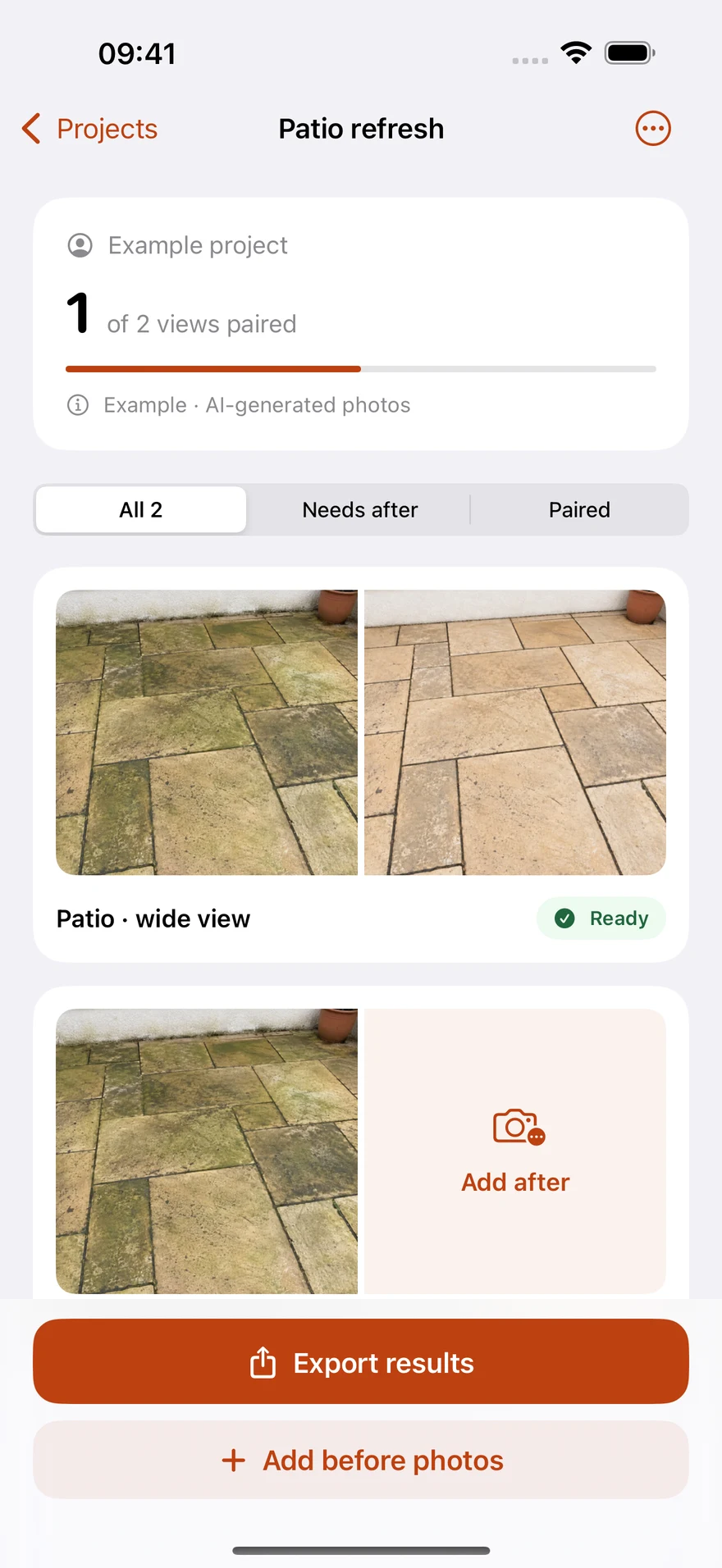
Create a project for a detail, clean, or restoration. Take or import before photos and organize them by area, without searching through your entire camera roll.
When it is time for the after photo, overlay the before on your camera view. Line up the scene yourself so the change is easier to see.
Select completed pairs for horizontal, vertical, or square JPG comparisons. Or make a multipage PDF, with your own business name.
ON YOUR IPHONE
Actual app screens. AI-generated sample photos demonstrate the workflow; they are not real client work.
See paired photos and the views that still need an after. Know what to capture next.
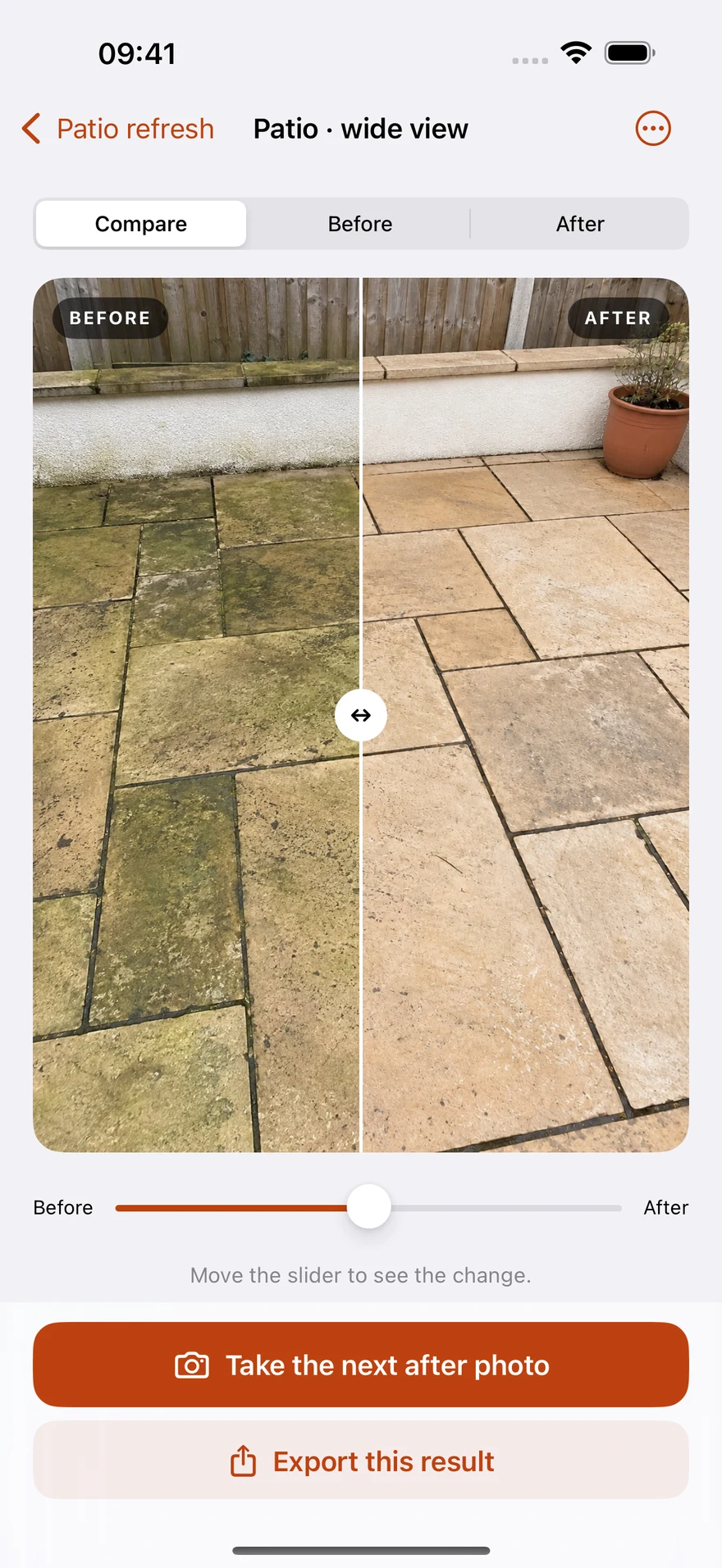
Compare before and after in one view, or inspect each photo on its own.
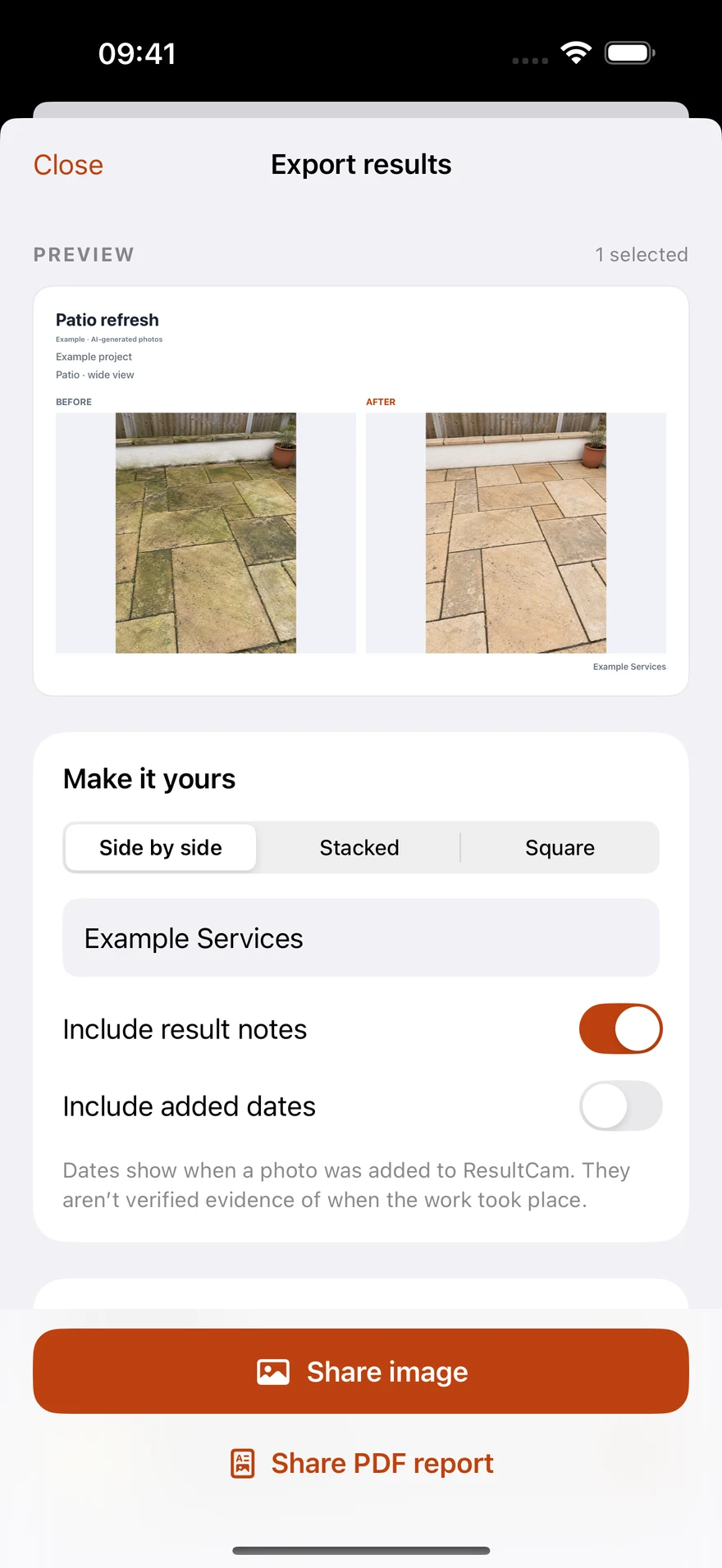
Preview a layout and your business name. Choose notes and added dates, then share a JPG or PDF.
Keep the before and after for each area side by side. See which pairs still need an after photo.
Original imported files stay on your device. Comparison exports fit the full frame, without cropping away details to fill a layout.
Add your business or personal name as text, then share through the client conversations and social channels you already use.
Projects and photo pairs move to Trash first. Full backups include photos, projects, and Trash, ready to import on another iPhone.
SIMPLE PRICING
Save 2 projects for free and try capture, pairing, and export. Unlock more saved projects with one purchase. No subscription.
Projects in Trash count toward the free limit; the built-in sample does not. Viewing, recovering, and exporting existing work stay available. The App Store price shown in the app applies.
YOUR PHOTOS, IN YOUR HANDS
Projects and photos stay on your device. ResultCam has no developer cloud sync, ads, or behavioral tracking. You decide when to share images, export a PDF, or save a backup.
Read the privacy policyThe camera reference overlay helps you manually return to a similar position. It does not automatically warp, retouch, or change the actual content of your before-and-after photos.
Yes. Choose the photos you need with the system photo picker, assign them to Before and After, and export a comparison.
Capture, organization, and image and PDF export work offline. Purchases, restoring purchases, and any online sharing or cloud-storage destination you choose require the relevant network connection.
No. Export a full backup in Settings, then import it on another iPhone. Save a backup outside the app before uninstalling or replacing your device.
Detailers, cleaners, pressure washers, restorers, and other people who show the visible difference their work makes. ResultCam focuses on photos and sharing, fitting alongside the booking, quoting, or client tools you already use.
Start with one before-and-after pair. Give your clients a clear view of the work you have done.
The download link will be available after the App Store launch.