80
patterns to untangle
Four chapters, starting gently and opening up new ways to think.
 Elastic Flip
A little puzzle for your downtime
Move the handle. Flip the discs. Find the path that makes everything click. A calm puzzle that leaves room for a clever idea.
Coming to iOS & Android
A quiet moment. A satisfying challenge.
80
Four chapters, starting gently and opening up new ways to think.
3
Finish at your own pace, then come back and find a shorter route.
1
A daily puzzle and generated free play, both available offline.
Start with one simple move
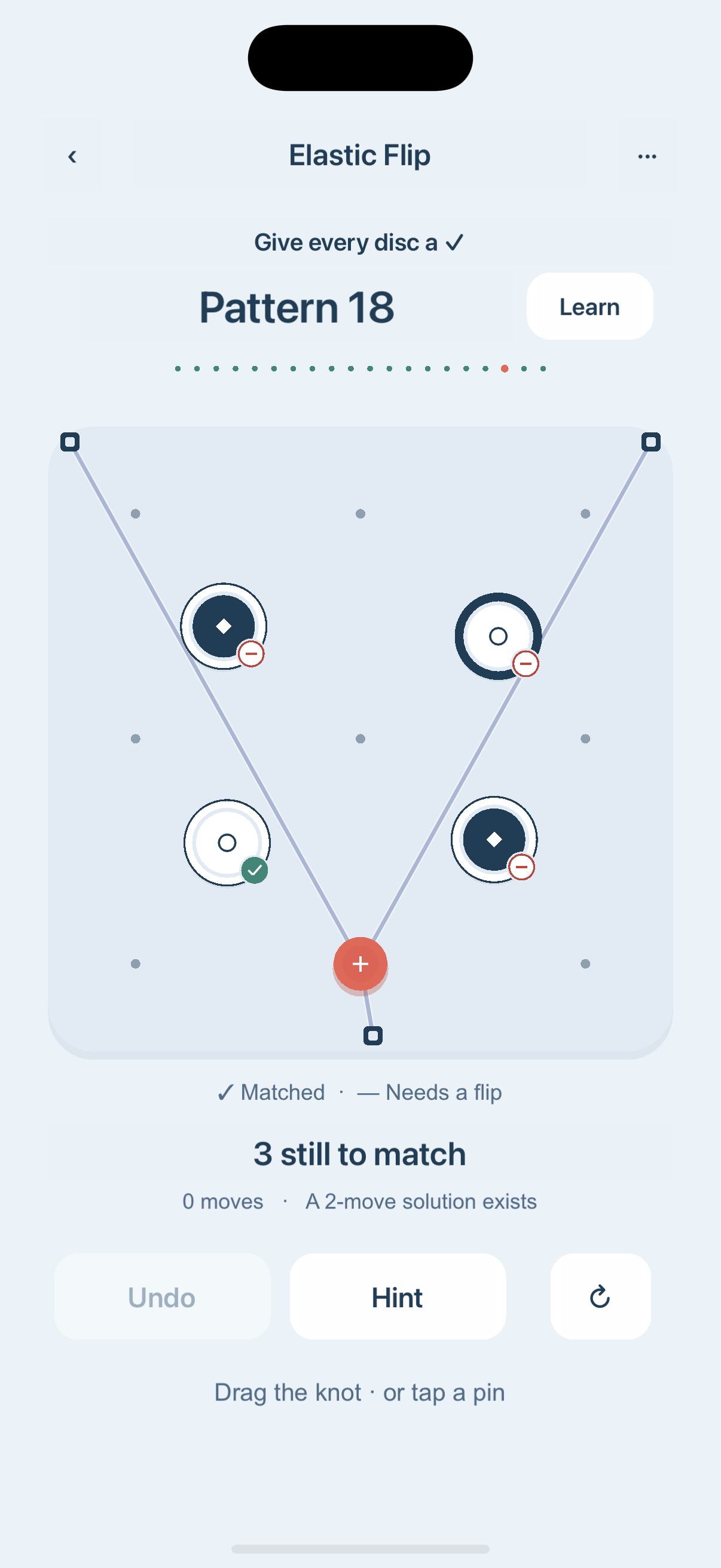
Drag it to a small pin and let go. Tapping a pin works too.
The preview shows your move before you commit. A line sweeping across a disc’s center flips it.
Match each disc to its outer ring. Green checks make it easy to see which ones are ready.
When two lines cross the same center, their flips cancel out. One or three crossings flip it. The guided opening lets you try this for yourself.
Game help & support
Everything you need to settle in.
The rule checks the disc’s center, not its edge. One or three line crossings flip it. Zero or two leave it unchanged. Check the preview before releasing the handle.
Undo is unlimited and restores the previous move count. A hint shows one helpful next pin. Neither reduces your stars. Three stars means meeting the puzzle’s move target; two stars allows up to two extra moves; every other completion earns one star. Only your best result is kept.
No. Completing a pattern unlocks the next. You can return to any unlocked pattern whenever you want to improve your route.
All 80 campaign patterns, the daily pattern, and generated free play work offline. There is no timer, lives system, advertising or in-app purchase. The daily pattern follows your device’s date.
Completed patterns, best move counts, your unfinished puzzle and settings are stored on this device. The game has no cloud sync. Deleting the app or clearing app data may remove progress; your operating system controls device backup and restoration.
Open Settings → 语言 / Language. On iOS, this opens the app’s system language settings; on Android, choose the language in the game. English and Simplified Chinese are available. You can also switch sound off or enable reduced motion. A vibration option appears only where supported.
Settings → Reset progress clears completed patterns, best move counts and the unfinished puzzle after confirmation. Your preferences are kept. This cannot be undone inside the game.
Email the app version, device model, operating system version and the steps that led to the problem. A screenshot can help. Please do not send passwords or sensitive information.
This is an independent game by JINGREN CHEN. If something gets in the way of a good puzzle, let me know.
JINGREN CHEN · Independent developer