Skip to content
EasyRuler

EASYRULER · EVERYDAY MEASURING

Lengths and angles.Always at hand.

How wide is that paper cutout? What angle do those two edges make? Open a quiet screen ruler and give everyday measurements a clear place to start.

iPhone & iPad · iOS 16 / iPadOS 16 or later

  • Buy once
  • Works offline
  • No ads
  • No subscriptions
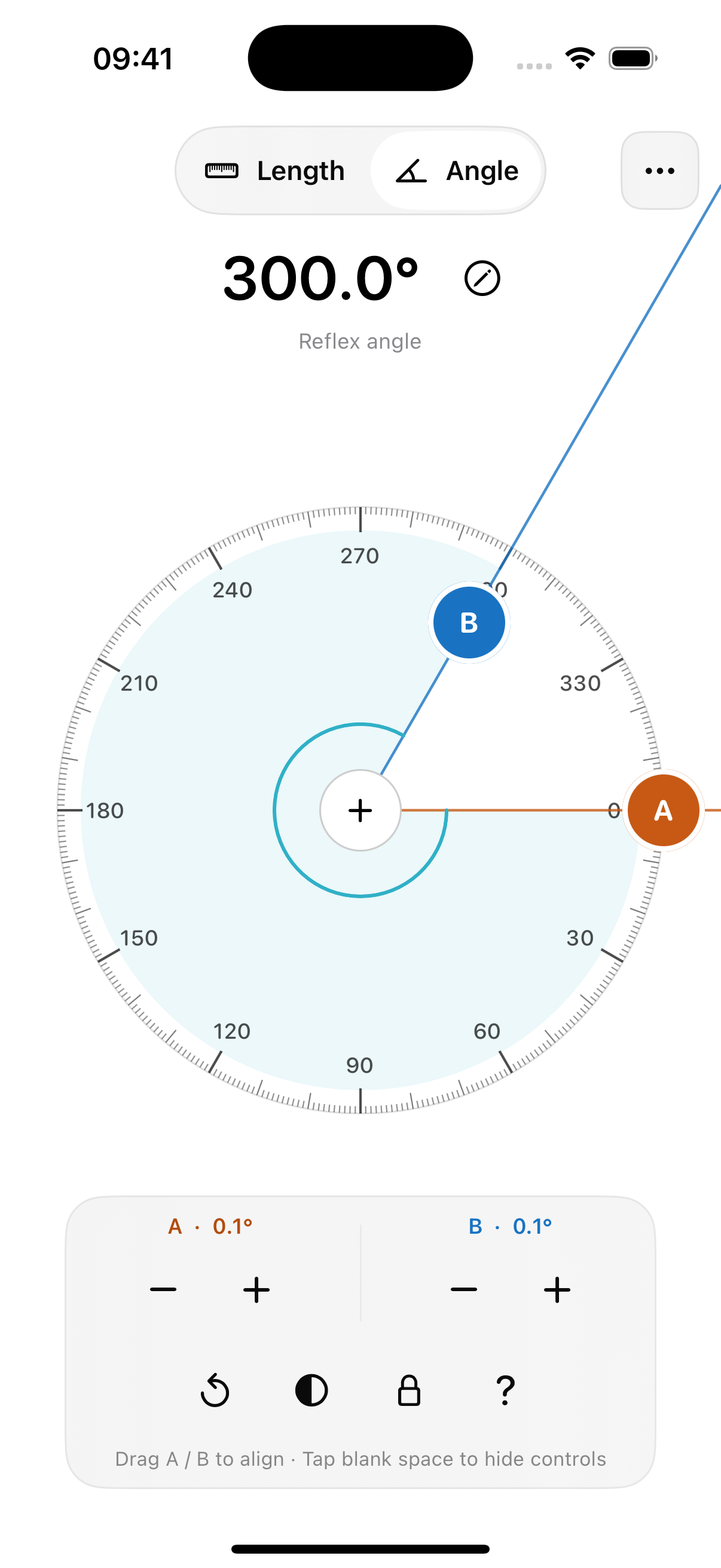
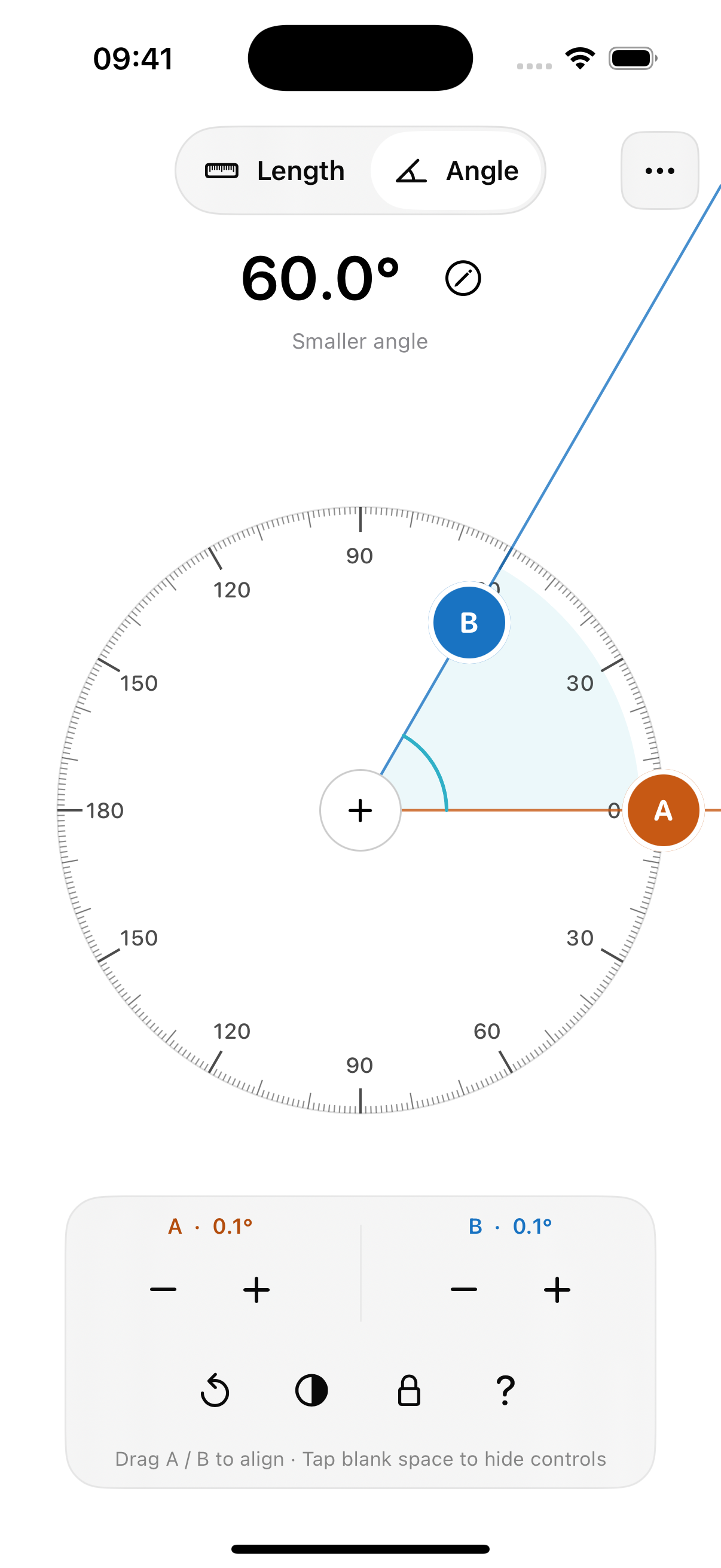
EasyRuler English protractor screen with orange edge A and blue edge B showing a smaller angle of 60°.

A ruler. And a protractor.

ACTUAL EASYRULER SCREEN · EXAMPLE ANGLE

TWO WAYS TO MEASURE

Line it up. Read it clearly.

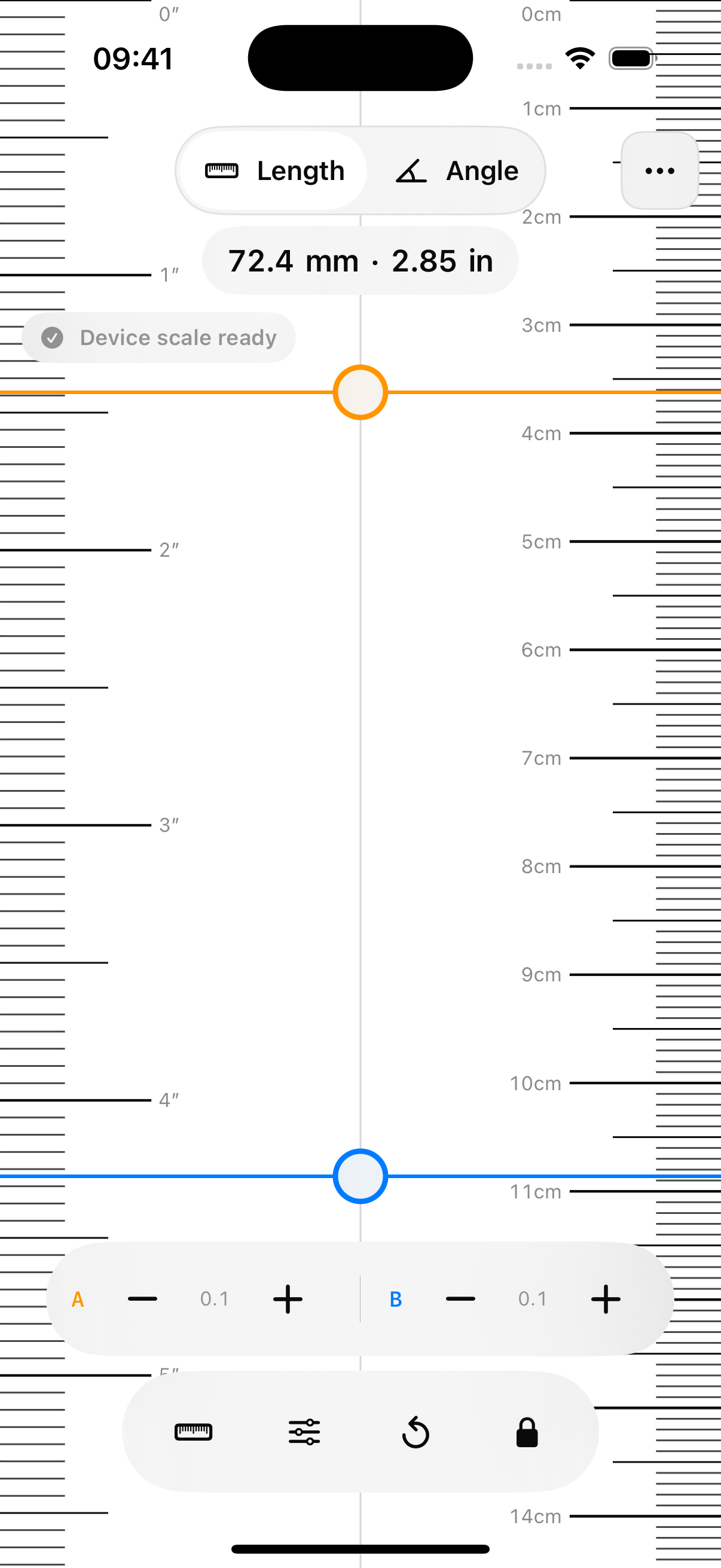
01Length

Two endpoints. One clear distance.

Align a small object with the scale at the screen edge. Move the orange and blue cursors to read the distance between two points.

  • Centimeter and inch scales, with cursor and static ruler modes.
  • Adjust cursors in 0.1 mm steps, then lock the measurement to read it.
  • Calibrate against a physical ruler. Calibration stays on your device.
02Angle

Both edges move with your task.

Drag edges A and B independently, move the vertex, or turn the graduated ring to rotate both edges together.

  • Read the smaller angle from 0° to 180°, or the reflex angle from 180° to 360°.
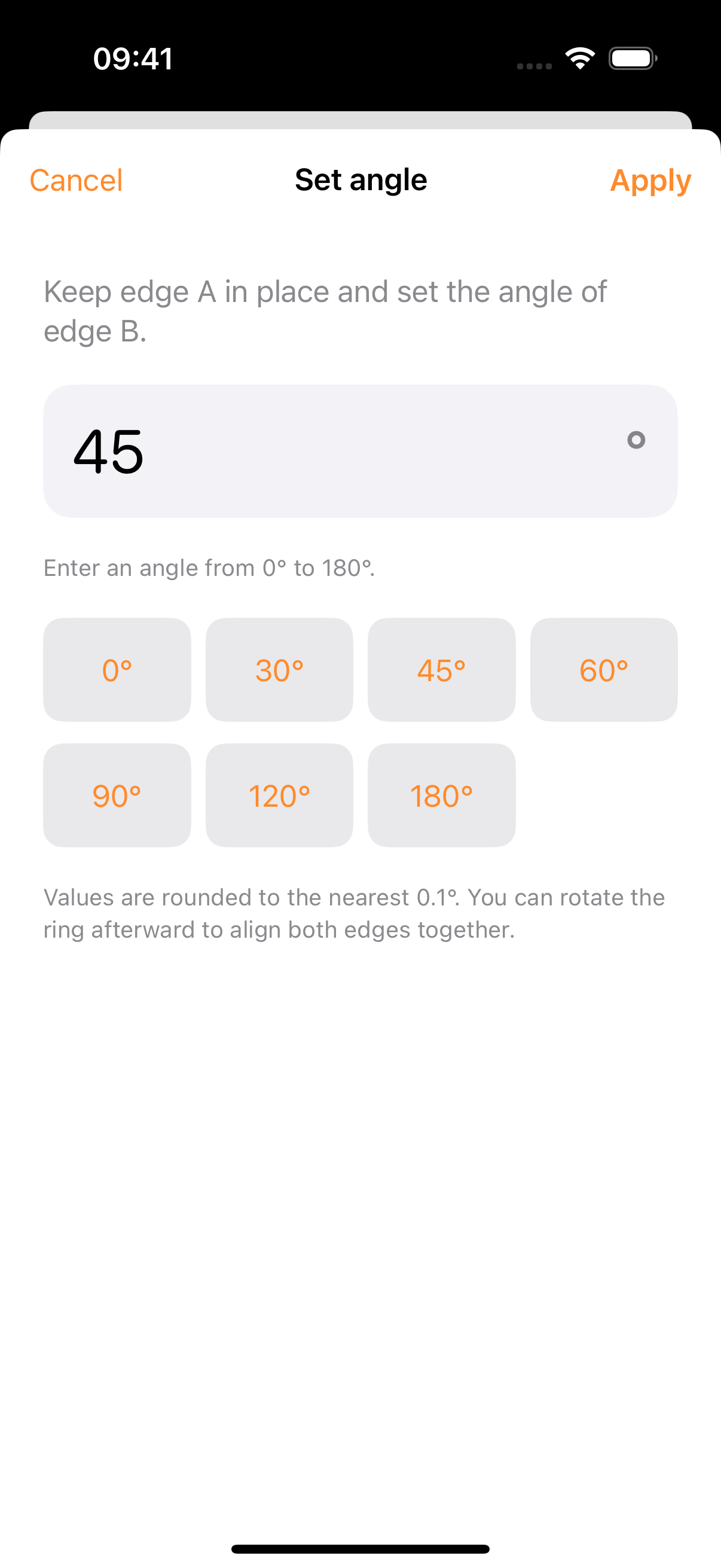
  • Adjust in 0.1° steps, enter an angle, or choose a common preset.
  • Lock against accidental drags. The angle stays when you rotate the device.

A USEFUL TOOL, WITH CLEAR LIMITS

Two small checks before measuring.

Check the length scale first.

Length conversion depends on your device’s screen information. Check against a reliable physical ruler on first use, after a device change, or whenever the scales disagree. Angle measurements do not need length calibration.

How to calibrate

Align with the visible edges.

Align a small flat object with the visible edges, or use the protractor as an on-screen angle reference. The screen cannot reveal a drawing underneath. Alignment and viewing angle both affect the result.

Read the measurement limits

SIMPLY YOURS TO USE

Buy once. Open when needed.

No ads crowding the scale. No subscription interrupting a measurement. The ruler, protractor and calibration work on your device, without an account.

  • Offline measurements
  • No ads or analytics
  • No account
  • No subscriptions

Apple handles purchase and download through the App Store. See the listing for the price, current version and device compatibility. Opening support email or the privacy page uses the external service you choose.

Privacy

FAQ

A few common questions

Help
Do I need to calibrate EasyRuler?

Check the length scale against a reliable physical ruler, especially on first use, on a new device, or when the app recommends calibration. If the scales disagree, calibrate until they match. The protractor measures the angle between two edges and does not need length calibration.

Can I measure a drawing underneath the screen?

No. iPhone and iPad screens are opaque, so you cannot see lines underneath. Use the protractor as an on-screen angle reference, or align a small flat object with the visible measuring edges.

Do 0.1 mm and 0.1° guarantee physical accuracy?

No. They are adjustment steps for the cursors and measuring edges. Screen information, length calibration, manual alignment and viewing angle all affect the result. Check with a suitable physical measuring tool when strict accuracy is required.

What is the difference between smaller and reflex angles?

The same two edges make two angles. The smaller angle ranges from 0° to 180°; the reflex angle ranges from 180° to 360°. A 60° smaller angle, for example, has a 300° reflex angle. Switch the protractor’s angle mode to read either side.

Does the app keep a measurement history or upload results?

It does not save a measurement history or send measurements to us. Calibration and preferences stay on your device. Switching between Length and Angle during the same app session keeps each measurement available.

Is this a subscription? Which devices are supported?

EasyRuler is a one-time App Store purchase, without subscriptions, ads or accounts. It supports iPhone with iOS 16 or later and iPad with iPadOS 16 or later. Length measurements are designed for the built-in screen; external displays are not supported.
EASYRULER

Ready for the next little measurement.

Keep everyday lengths and angles together in one pocket-sized tool.

View on the App Store