For the little one who just arrived
A first month, a hundred days, a first birthday. Turn that remarkable first year into a gift they can look back on.
- First hello
- One month
- 100 days
- First birthday
Their first word. Their first school bag. That graduation-day smile. Bring photos, dates, and a few words together in a keepsake your family will return to for years.
Start freeiPhone · iOS 17 or later
Basic recording and classic keepsake images are free. Unlock more designs and premium exports with a one-time purchase.
From first hellos to new chapters
A little note can hold a memory
Share with family. Print to treasure.
You don’t have to start with a blank album. Choose a theme with moments ready to collect, then make room for the parts of the story that feel like yours.
A first month, a hundred days, a first birthday. Turn that remarkable first year into a gift they can look back on.
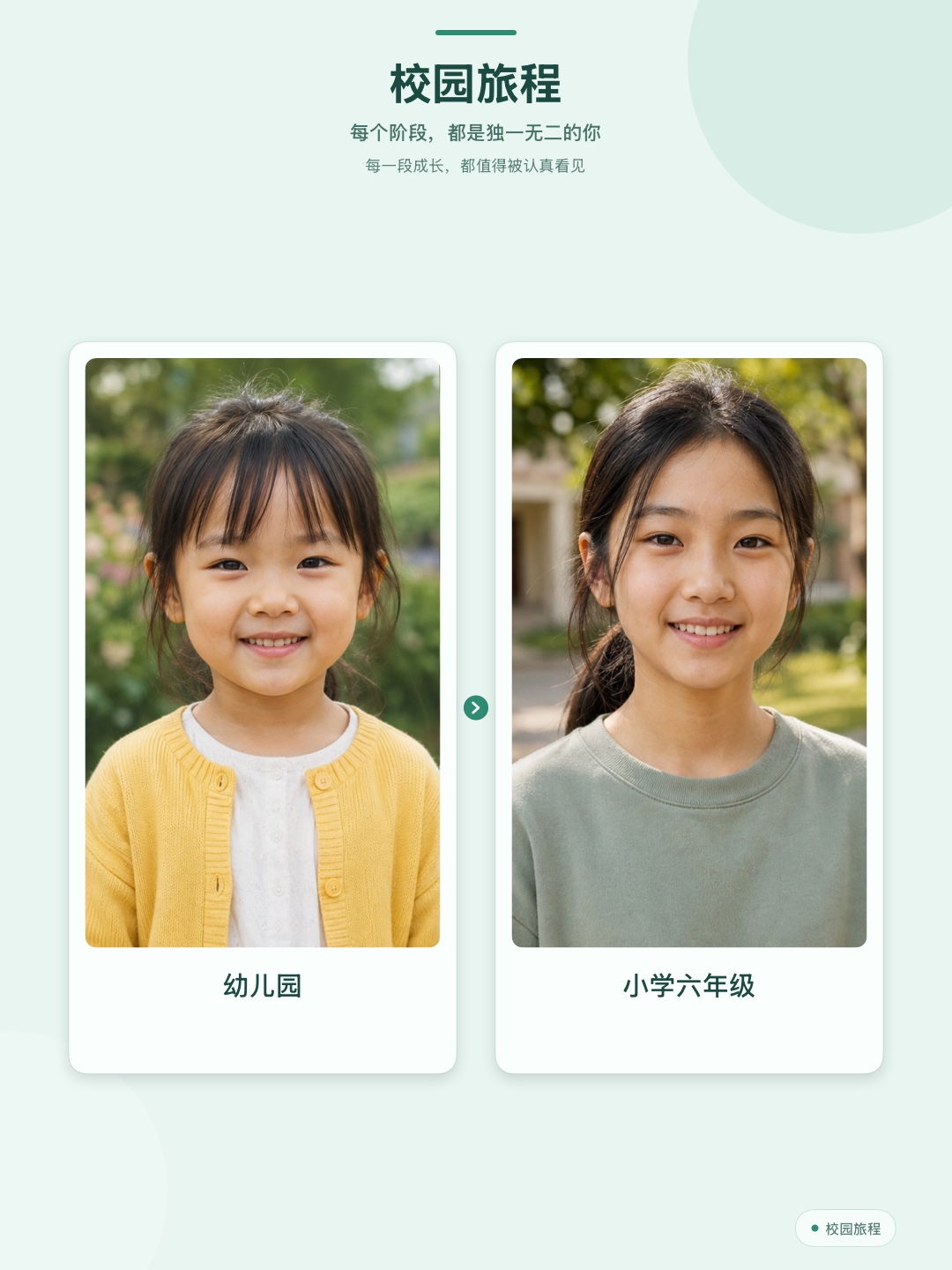
From a wave at the kindergarten door to a graduation hug. Keep a favorite smile from each school chapter.
An annual family photo. One favorite from each year. Look back and see how everyone has grown, side by side.
Their first “Dad.” Their first steps toward you. A sentence or a date can hold the wonder, too.
A page in a storybook, a circle of familiar smiles, or a strip of moments unfolding. Choose from 7 keepsake designs and give photos and little notes a place together.
Design examples use AI-generated people, not real family records. Sample posters include Chinese and English text.
Preview every design before choosing. See “Start free” below for included and paid features.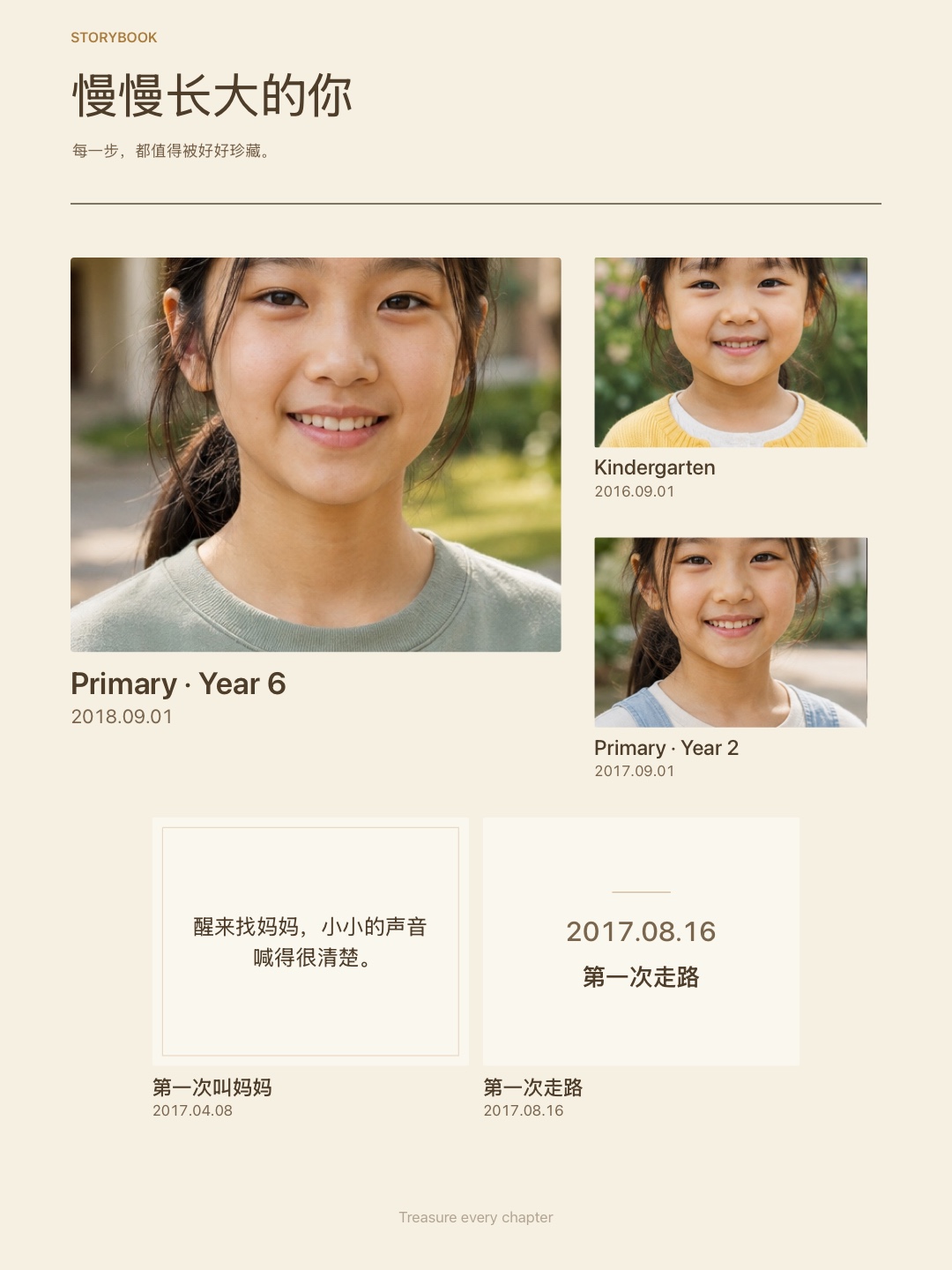
Let one favorite photo lead, then add the everyday moments and words you want beside it.
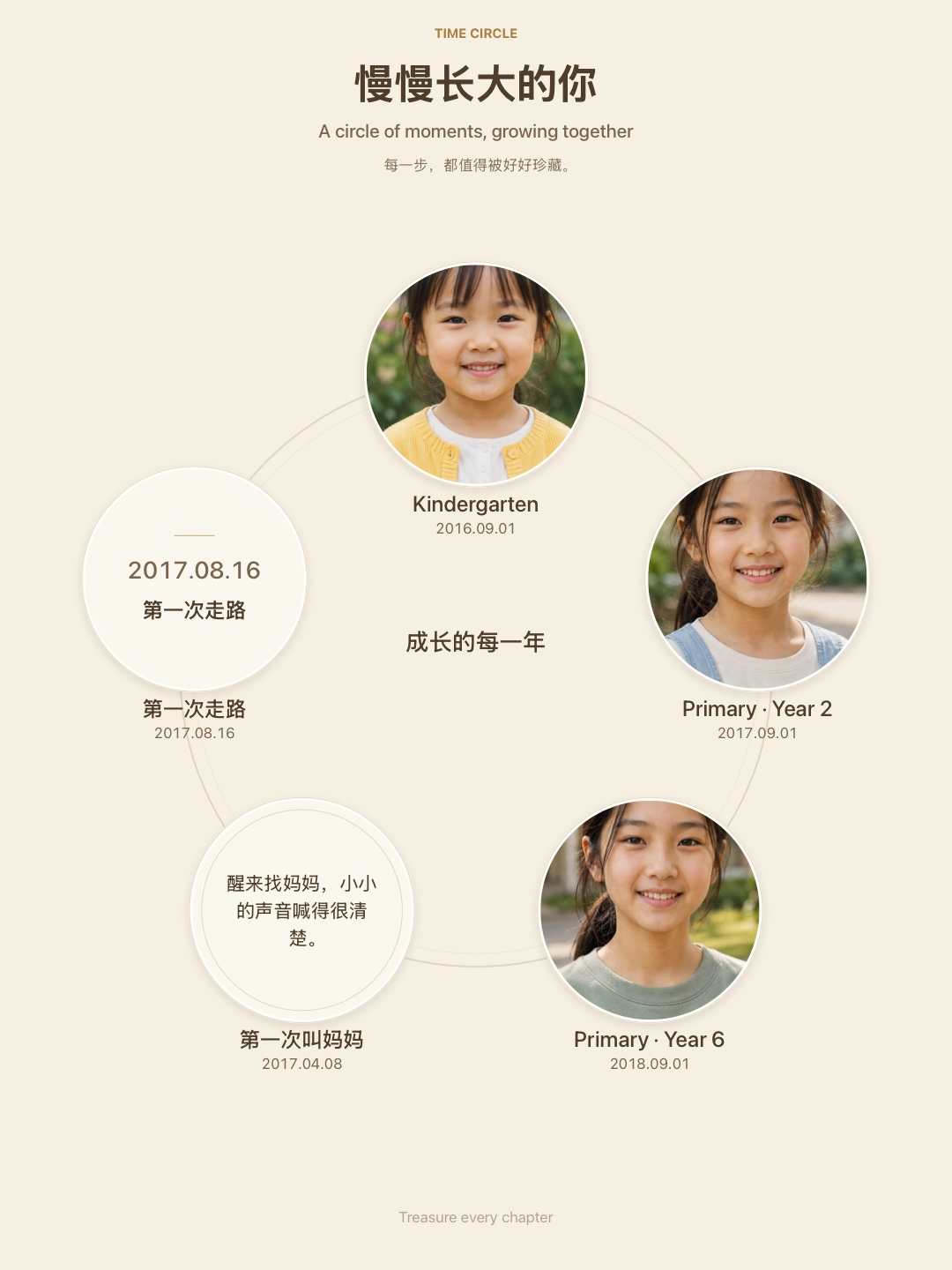
Bring birthdays, monthly milestones, or family portraits into a circle of familiar faces.
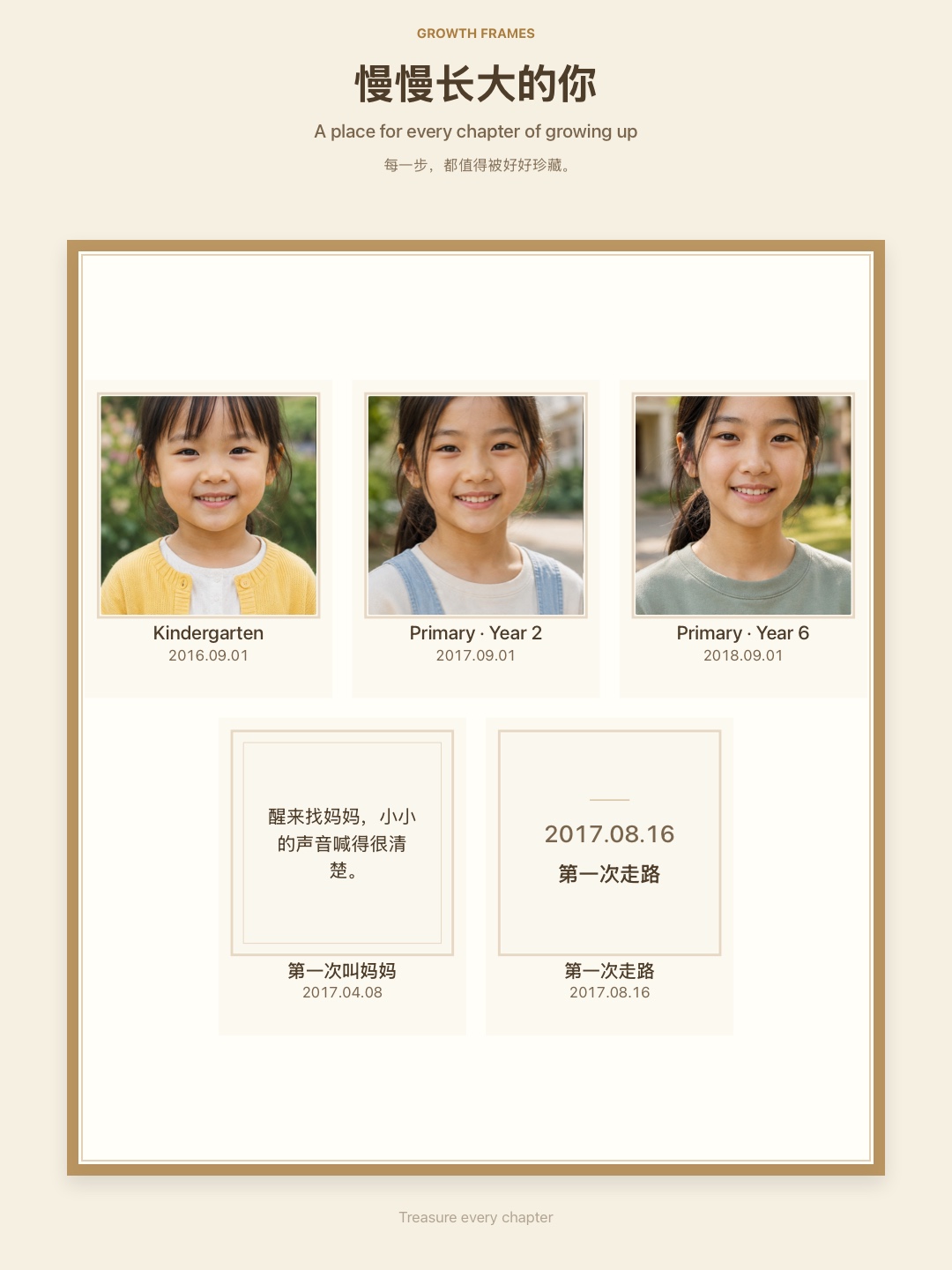
Give each photo a frame, and leave a little room for the moments still to come.
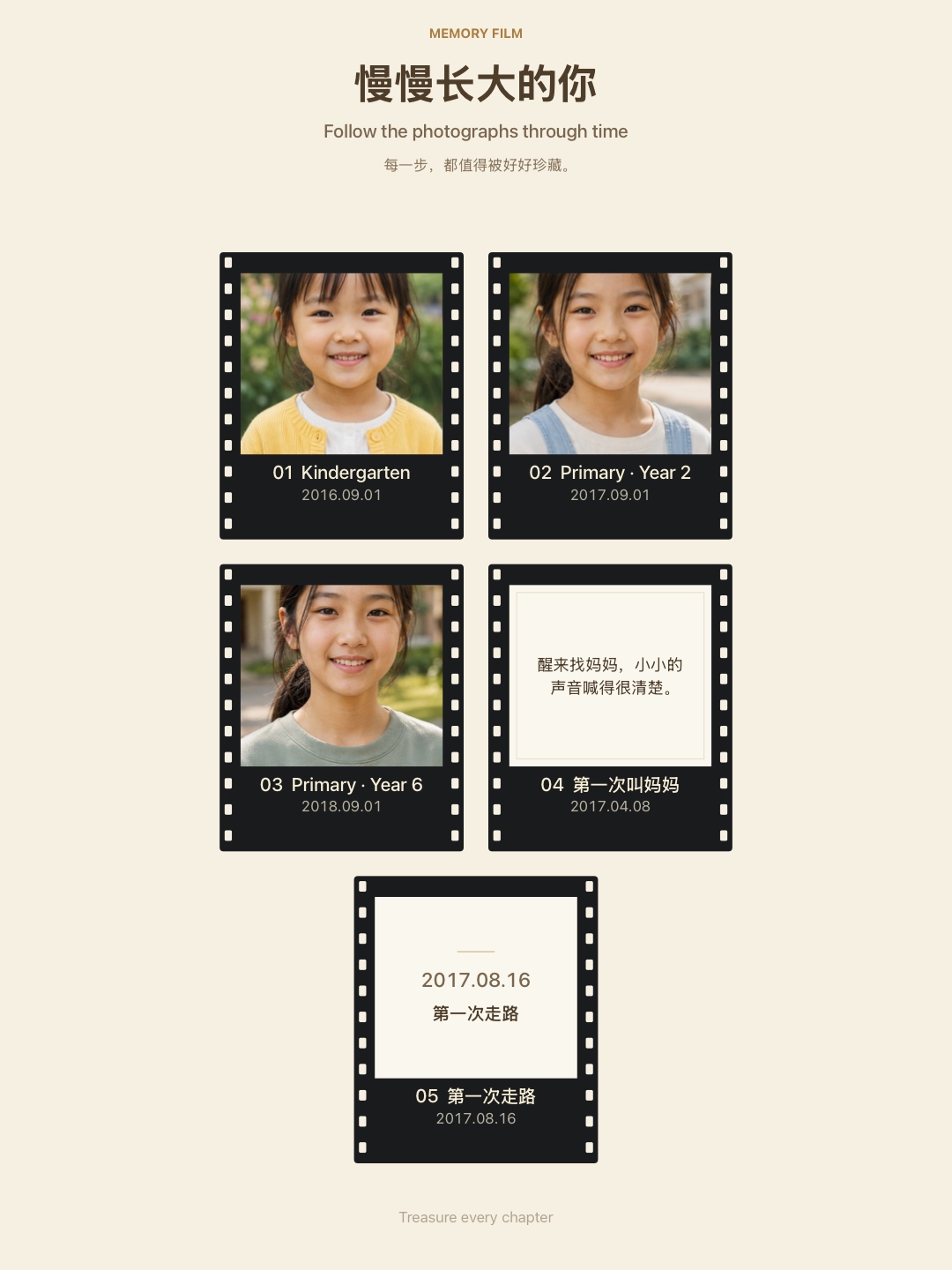
Follow the photos and stories in order, in a film-inspired image you can save and share.
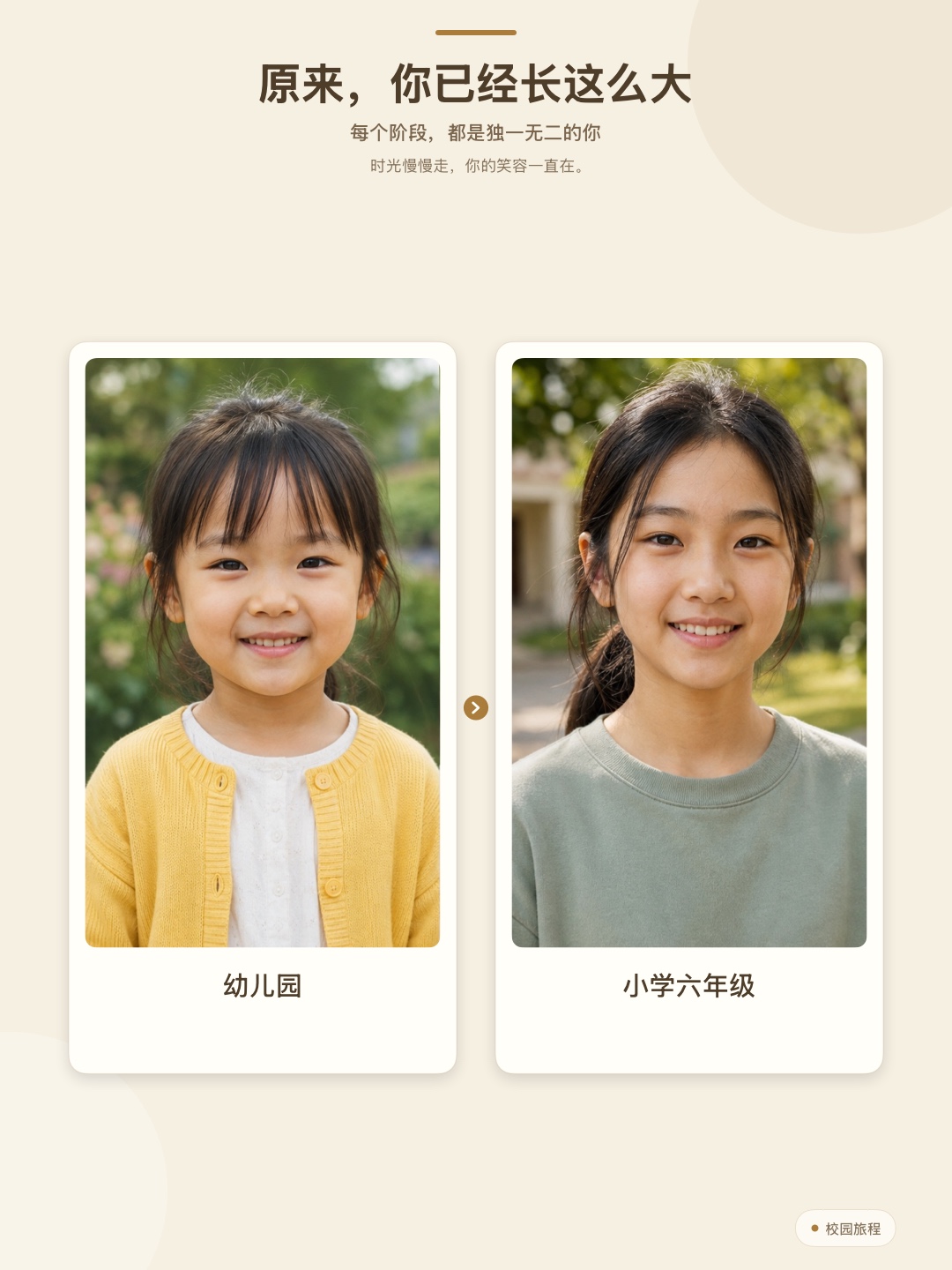
Simple, warm layouts let your photos tell the story, whether you begin with one or bring several together.
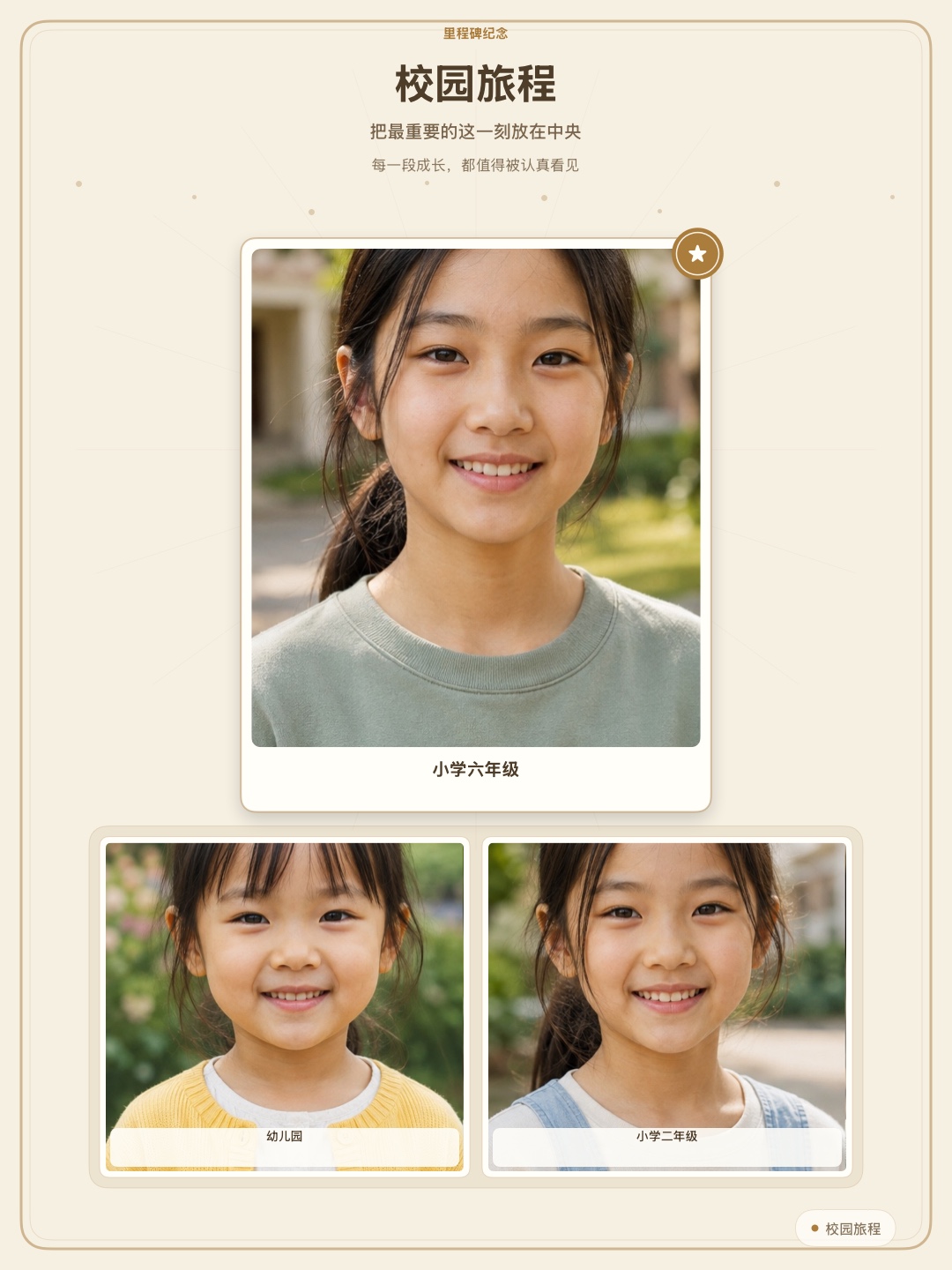
A first day, a graduation, a long-awaited moment. Make it the focus, with memories of the path that led there.
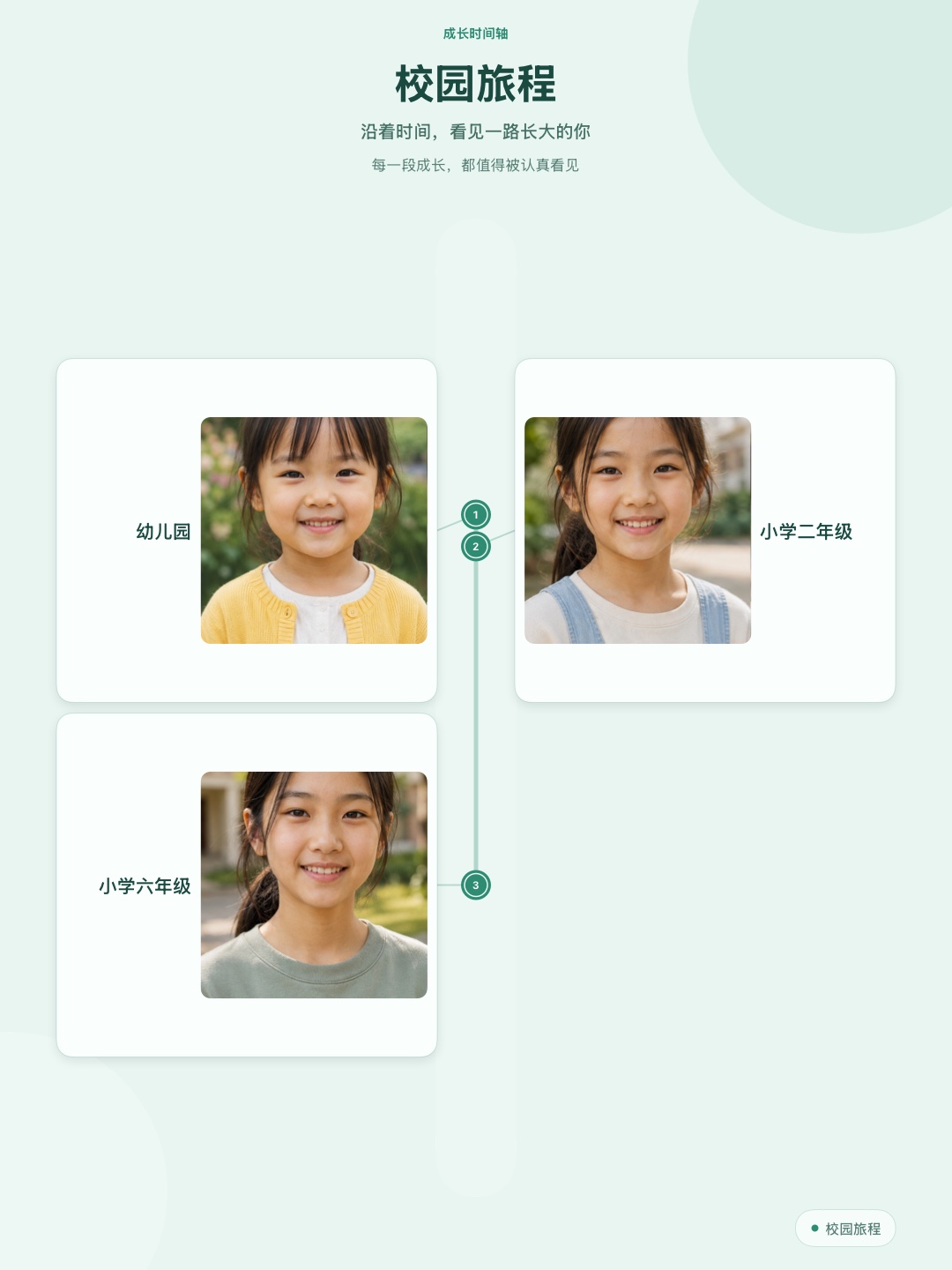
Follow each chapter in order and notice the changes that happened while you weren’t looking.
A first birthday, school years, family photos. Start with a theme, or choose whole groups and individual moments from 12 stage groups to tell your family’s story.
Pick a few old favorites, or write down a first you don’t want to forget. Add as much of the date as you remember.
Choose a design and a favorite photo, then add a title. Save an image for family, or choose a printable keepsake for the album.
“They said “Dad” at dinner for the first time. We couldn’t stop smiling.”
♡Keep a little first with a sentence, a date, or a photo. The words can bring the feeling back just as clearly.
You don’t need the exact day
Record just the year, add the month, or keep the exact date. You choose how much of the date appears on the finished keepsake, or hide it altogether.
Room for the years ahead
Show only the moments you’ve collected, or leave empty frames for the ones still to come. There’s no need to fill every space today.
Choose a theme and try it with your own photos. Everyday recording and standard images in the classic design are free. Choose more when you want more ways to create.
The free version lets you create one archive, use the stage combinations in all built-in themes, preview every design, and export standard classic warm images with a small brand mark. Lifetime Pro is a one-time purchase, not a subscription. It adds exports in the other designs and colors, unbranded high-resolution images, A4 print PDFs, additional archives, and custom stages. Full archive backup and recovery are free.
Included and paid features are listed above. Current prices are shown in the App Store and in the app.
Made for parents and authorized adults. No child account is needed, and there is no public gallery of children’s albums.
Only the photos you select are imported. Subject alignment runs on your iPhone, and you can choose the person in a group photo.
New keepsakes hide nicknames and dates by default. Choose what to show, then decide who to share it with.
Save the finished piece or back up the whole collection. There’s a way to move photos, words, and keepsakes when you change phones.
Campus Journey is an iPhone keepsake app for parents and families. It brings your selected photos, dates, and notes about little firsts into growth albums, then-and-now posters, storybook pages, and other keepsakes to save, share, or print.
No. Its 10 themes include first-year memories, monthly growth, birthdays, school years, first days and graduations, family portraits, yearly highlights, and little firsts. You can also choose from 12 stage groups to fit your own family’s story.
Yes. In Little Firsts, a sentence, a confirmed date, or a photo is enough to keep a memory and include it in a keepsake. You can add a photo later. There are no milestone deadlines to meet.
No. Begin with what you have, add older photos later, or import several and review which stages they belong to. Show just the memories already recorded or leave spaces for later.
Save an image to send to family, or choose an A4 PDF to print. Find finished posters in Keepsakes to view, share again, or edit a new copy. You can also return to an unfinished draft and keep creating. A4 PDF and other premium exports are paid features; you can also print a free image yourself. See “Start free” on this page.
Archives and stage photos can sync through the same Apple Account’s private iCloud. Finished keepsakes and drafts stay on the current iPhone; use a full ZIP backup to move them together. Restore with a current app version that supports these contents. iCloud sync is not a replacement for an independent backup.
Search for Campus Journey on the App Store or use the download buttons on this page. It supports iPhone with iOS 17 or later, in Simplified Chinese and English. Basic recording and classic keepsake images are free; more designs and premium exports are available as a one-time in-app purchase.
 Start free · iPhone · iOS 17 or later
A first word. A graduation smile. Begin with a story you’ll be glad you kept.
Basic recording and classic keepsake images are free. Unlock more designs and premium exports with a one-time purchase.